
How to Build a DPDPA-Compliant Intake Form: A Step-by-Step Guide
Discover how to create a DPDPA-compliant intake form with this step-by-step guide. Learn privacy form builder best practices, secure request verification, multilingual DSAR form setup, and how Neostra’s no-code intake form configuration simplifies privacy compliance in India.
When someone wants to access, correct, or delete their personal data - the first interaction is through the intake form.
That form is more than just fields and buttons. It’s your first impression as a privacy-first brand, and under India’s Digital Personal Data Protection Act (DPDPA), it’s also your legal responsibility.
So how do you build an intake form that’s simple, compliant, and easy to manage without spending weeks of dev time?
Let’s walk through it step by step, and show you how Neostra’s intake form configuration makes it seamless.
Why Your Intake Form Matters
Under DPDPA, organizations must honor privacy rights like:
- Access to personal data
- Correction of inaccuracies
- Data erasure
- Consent withdrawal
- Grievance redressal
But honoring those rights starts with a well-structured request form. If it’s too complex or unsecure, users drop off and you risk non-compliance.
According to Cisco’s 2024 Privacy Benchmark Report, 53% of users have abandoned a privacy request because the process was confusing or unclear.
**
DPDPA** demands clarity, accessibility, multilingual support, and verified user interaction - all starting with your intake form.
Here’s a step-by-step guide to getting it right:
**
Step 1: Define the Request Types**
Make sure your form covers all relevant DPDPA rights, clearly listed for the user:
- Access My Data
- Correct My Data
- Delete My Data
- Withdraw Consent
- Submit a Grievance
In Neostra, you can preload all standard request types with editable text, descriptions, and tooltips - no code needed.
Step 2: Capture Only What’s Required
DPDPA mandates data minimization. Only ask for what’s necessary to process the request.
Typical fields:
- Full name
- Contact details (email or phone)
- Request type
- Address (optional)
Neostra’s smart form builder helps you choose the fields and setup form based on the selected request type - keeping the form lean and user-friendly.
Step 3: Enable Secure Verification
You must validate the user’s identity before processing the request.
Recommended methods include:
- Email verification (OTP)
- CAPTCHA
- Affidavit or government ID upload
Neostra allows you to add multi-step verification, including CAPTCHA and secure file upload, to prevent spam and verify identity - all built-in.
Step 4: Add Multilingual Support
DPDPA encourages accessibility in local languages. Your form should adapt to your user’s preferred language - not just English.
According to KPMG, 70%+ of Indian users prefer content in regional languages.
Neostra supports regional language translations across all form fields and instructions, so you stay inclusive and compliant.
Step 5: Personalize the Look and Legal Notices
Trust is visual. Brand your form with your:
- Logo
- Colors
- Footer disclaimers
- Links to your Privacy Policy and DPDPA rights
Neostra makes this easy through no-code layout customization — your form looks like an extension of your brand, not a third-party tool.
Step 6: Set Request Rules & Publish
Before going live, set the internal routing rules which team handles what, and what the timeline is.
Neostra allows you to configure workflows and SLAs right from the form builder, and every submission is tracked from intake to resolution.
Visual Walkthrough: From Setup to Publish
Here’s how Neostra makes the entire intake form process visual, structured, and easy to manage:
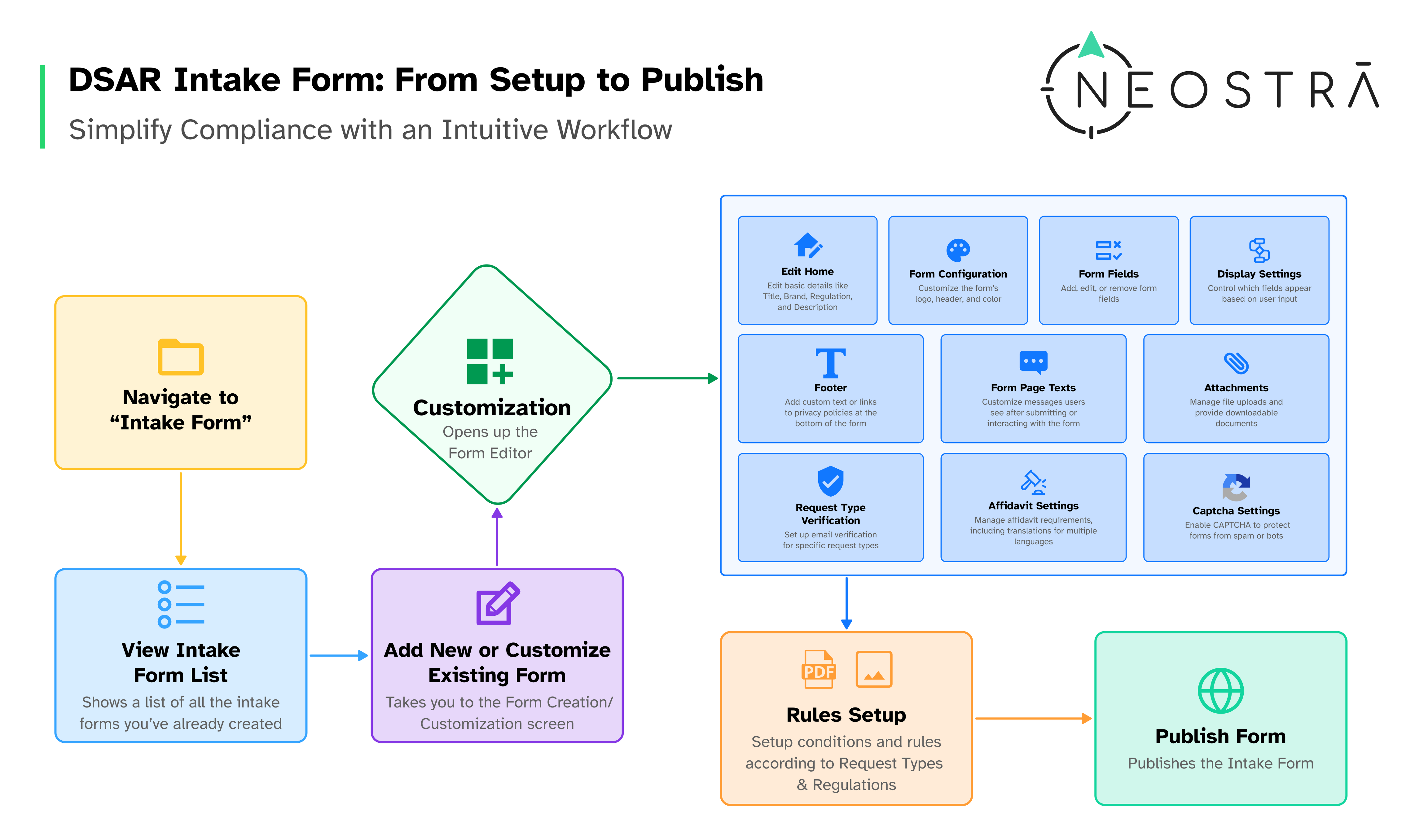
This intuitive flow includes:
- Navigation and form selection
- Customization of fields, layout, and verification
- Request-type rules setup
- Final publishing — all in one place
No third-party plug-ins. Just regulation-ready, audit-friendly forms in minutes.
Why This Matters
Your intake form is where compliance becomes visible.
A clean, secure, multilingual, and branded privacy form tells users:
“We take your rights seriously - and we’re ready to act.”
And that’s not just about law — that’s about loyalty.
How Neostra Helps
With Neostra, you can:
- Launch a DPDPA-compliant intake form in minutes
- Handle every major privacy right — Access, Delete, Correct, Consent
- Securely verify user identity with built-in options
- Offer a branded, mobile-responsive form in multiple languages
- Configure SLA workflows and publish with confidence
Start building privacy forms that build trust. Book a demo
Keep reading.
All articles →
DPDPA Consent Management: What Organisations Need to Implement
Most organisations treat consent as a banner. DPDPA requires much more. Explore what to implement and how to operationalise consent compliance.
Implementing DPDPA Compliance: A Practical Checklist for Organisations
Learn how to implement DPDPA compliance with a practical checklist covering consent, privacy rights, data visibility, and governance.
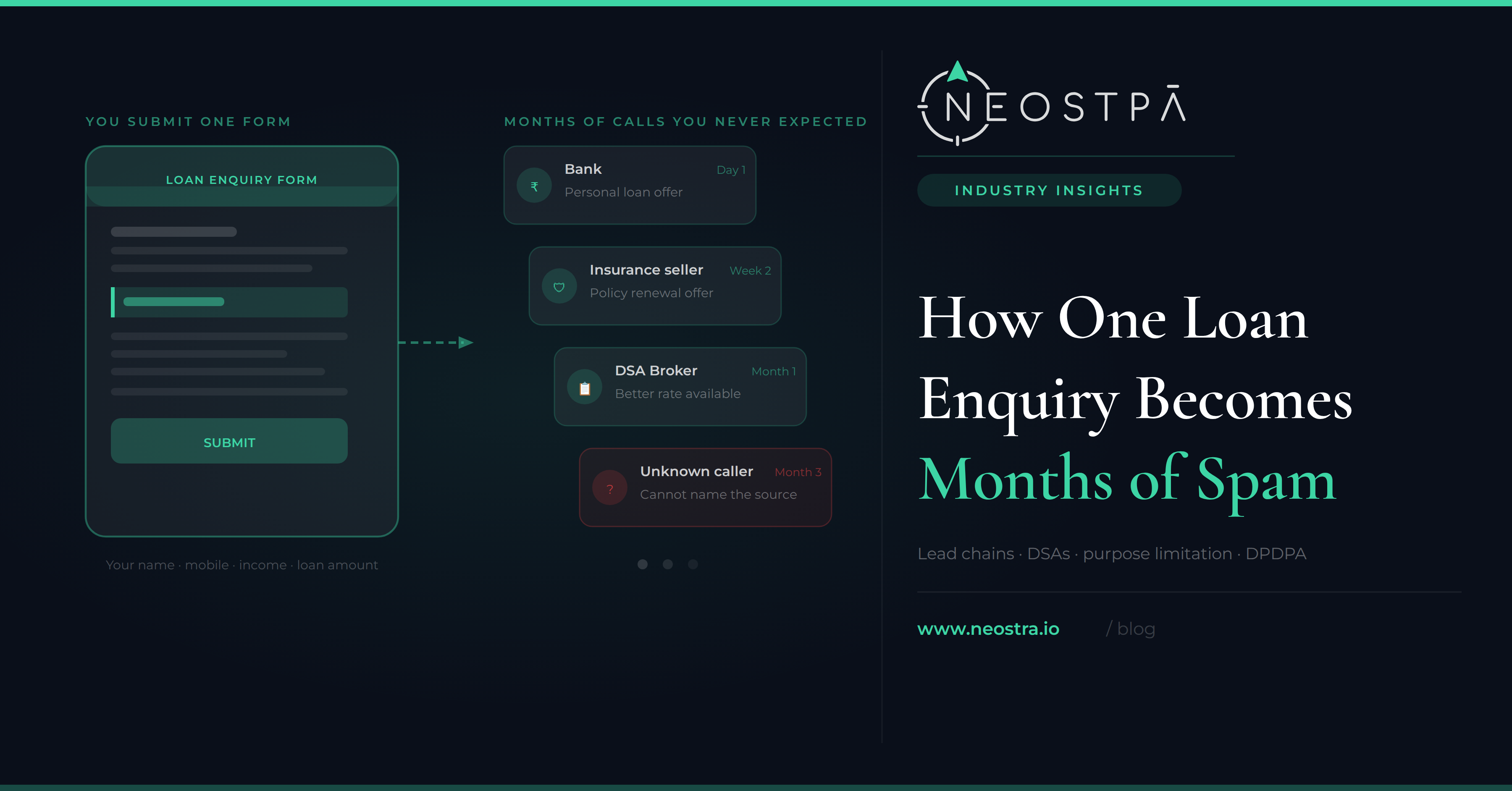
How One Loan Enquiry Becomes Months of Spam Calls
You filled out one loan form. Then the calls started from banks, brokers, insurance sellers, and people who can't tell you how they got your number. Here's what's actually happening, and what the law now requires companies to prove.
See what this looks like built.
A 30-minute walkthrough with a privacy specialist, on your use case.